Chinese
 français
 Deutsch
 italiano
 español
 português
 Nederlands
 日本語
日本語 한국의
한국의




Lin Jinglv
- Home
- >
Company
- >
Experts
- >
Lin Jinglv

Why This Matters for Battery Equipment
Battery production equipment is bought on process behaviour, not appearance. A customer needs to understand how material is fed, how tension is maintained, where the adjustment points are, and what happens inside an enclosure they will never see opened. A photograph shows none of this. A specification sheet states values without showing mechanism.
3D animation closes that gap. A thirty-second sequence showing a cutaway of the calendering section — roller gap, material path, tension control — communicates more than several pages of description, and does so in any language. For overseas buyers evaluating equipment remotely, before any factory visit is possible, this is often the deciding factor.
Animation Types Produced
Product rotation display
Full 360° presentation of the machine with material and finish accurately represented.
Structural teardown
Progressive disassembly revealing internal construction and component relationships.
Assembly sequence
Component-by-component assembly showing fit, order and mechanical relationships.
Working principle demonstration
The machine in operation — material flow, motion sequence and process action.
Exploded and cutaway views
Section planes and transparent structures exposing what is normally enclosed.
Parameter and specification comparison
Visual comparison of configurations, with data overlays and annotation.
Application scenario simulation
The equipment shown in its production line context and intended use case.
Motion and mechanism animation
Gear drives, conveyors, hydraulic actuation, valve operation, articulated joints.
Production Pipeline — handled end to end by one person
Every stage below is executed in-house, which means changes requested late in a project do not require going back to an external studio.
- 1Engineering review — reading the product structure, assembly relationships, motion logic and functional principle from CAD data and engineering drawings.
- 2Storyboard and shot script — camera script, frame sketches and animation timing chart produced before production starts, to reduce revision cost later.
- 3Model preparation and asset optimisation — topology cleanup, polygon reduction, UV unwrapping, normal baking, asset naming and file conventions.
- 4Material definition — accurate representation of metal, plastic, glass, rubber, coated, matte, brushed, electroplated, corroded and transparent industrial surfaces.
- 5Scene, lighting and camera — scene construction, lighting design and camera pacing tuned to emphasise the structural and functional selling points.
- 6Rigging and animation — bones, empties, constraints, drivers and custom properties to build stable animation control systems for complex assemblies.
- 7Dynamics simulation — rigid body, soft body, cloth, particles, fluid, smoke, dust and spark effects where the process requires them.
- 8Render and compositing — Eevee for real-time preview and fast turnaround, Cycles for physically accurate final output, followed by post-production compositing.
Selected Work
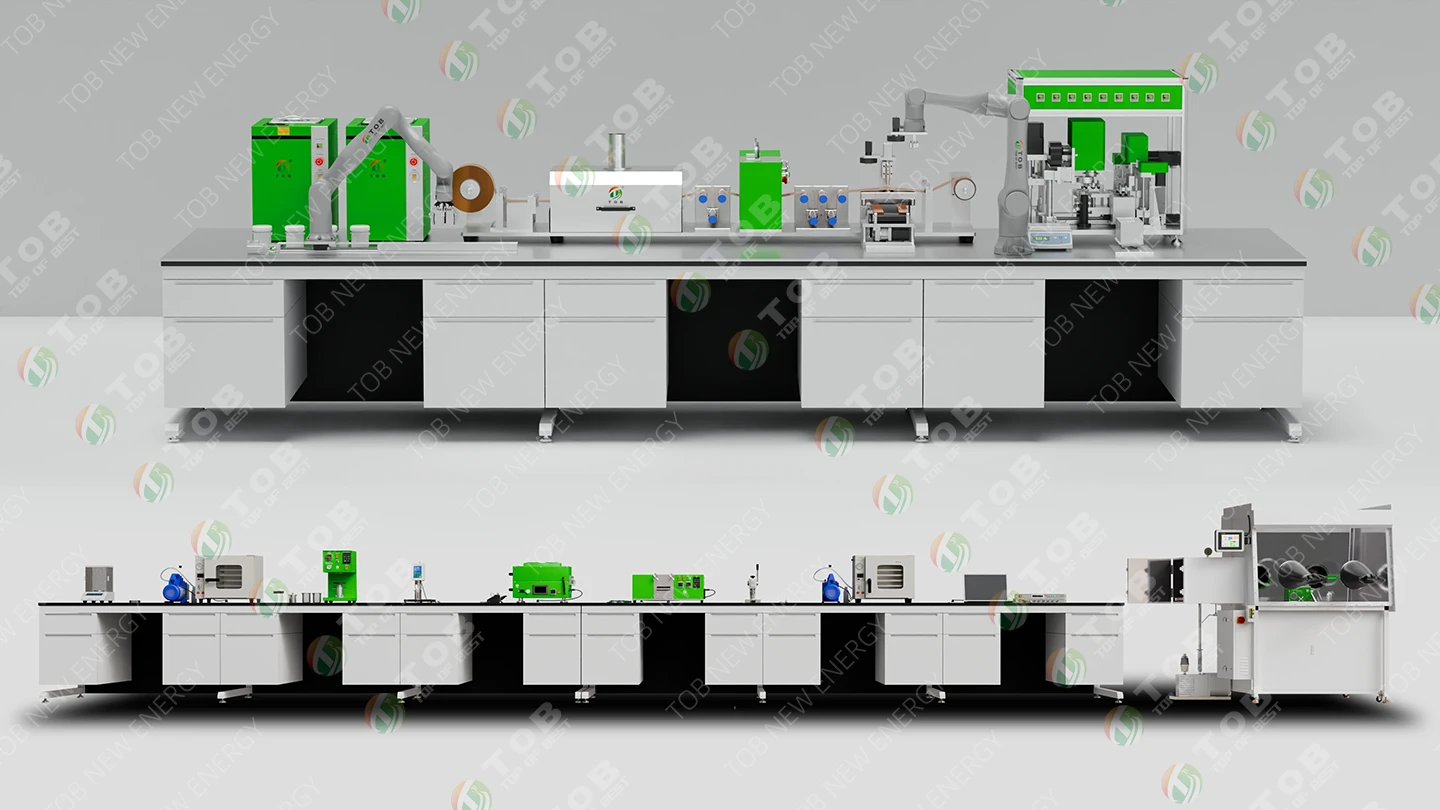
A complete coin cell laboratory line presented as one continuous workflow rather than a single machine. The sequence follows the stations in production order — mixing, coating, drying, calendering, punching, assembly and sealing, then formation and testing — showing how material moves between them and where the operator intervenes. It answers the question a laboratory buyer actually has: not what one machine does, but how a whole line fits together in the space available.
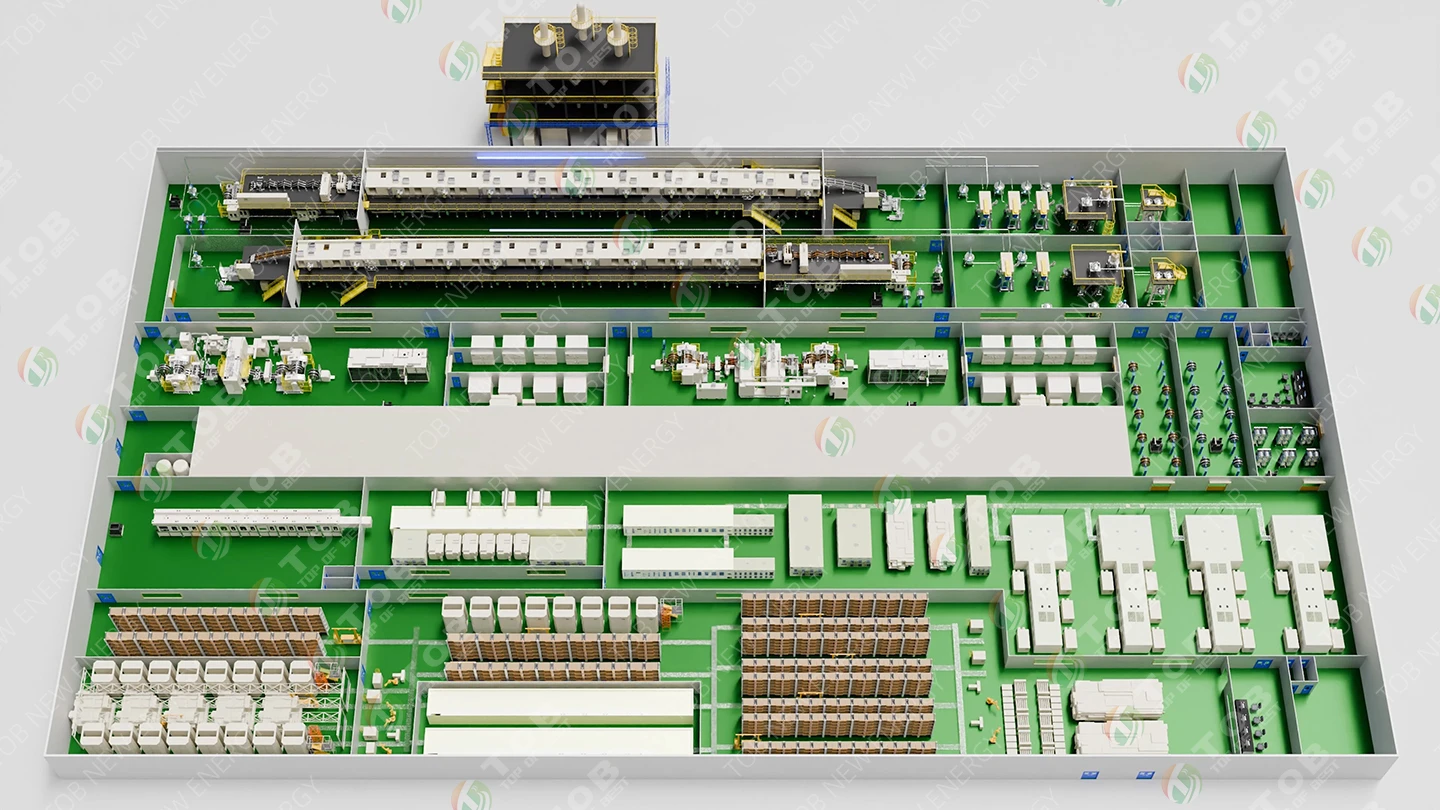
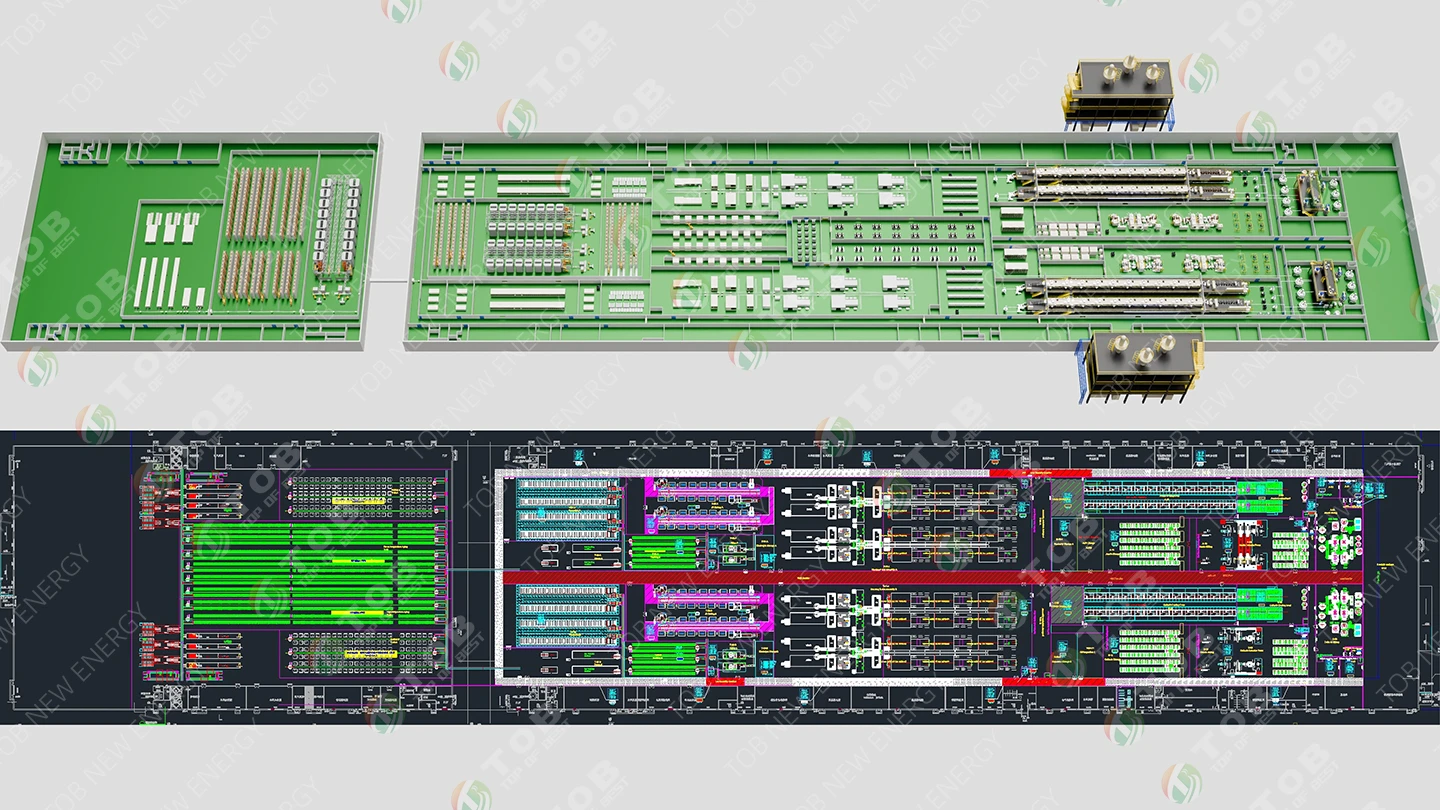
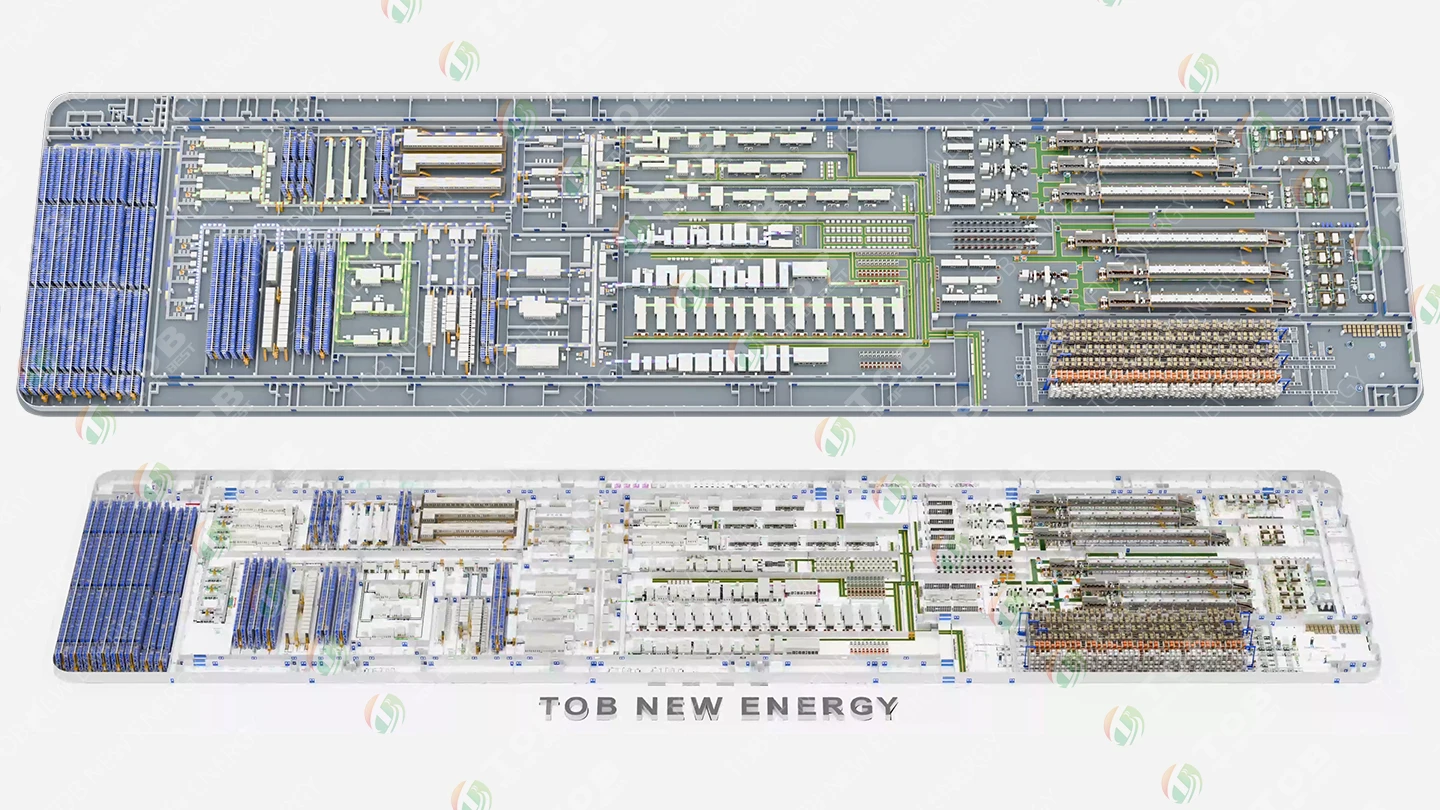
View the full 3D demo playlist on YouTube →Solution and layout drawings produced for real customer enquiries, from a coin cell laboratory line through to 5 GWh mass production. These are the visuals that let a customer see floor area, equipment sequence and material flow before any quotation is issued.
Software and Technical Skills
Blender specialisation
- ▸Modelling, modifiers, material nodes, lighting, cameras, animation, particles, dynamics, render and output
- ▸Industrial model preparation — topology, decimation, UV unwrapping, normal baking, asset conventions
- ▸Mechanical, assembly, path, keyframe, bone-driven and parametric animation control
- ▸Eevee versus Cycles selection based on whether the project needs real-time preview, fast output or physically accurate rendering
Subject Matter Handled
- ▸Battery production equipment and complete production lines
- ▸Mechanical assemblies, components and industrial automation equipment
- ▸Robotics, medical devices, vehicles, hardware and appliances
- ▸Engineering construction simulation and digital prototype presentation
Works directly with engineering and sales teams to translate technical selling points, use cases and structural advantages into a visual presentation — producing technically oriented, sales oriented or brand oriented content depending on the audience.
Frequently Asked Questions
Why does battery equipment need 3D animation rather than photographs?
Because battery production equipment is bought on process behaviour, not appearance. A buyer needs to understand how material is fed, how tension is maintained, where the adjustment points are, and what happens inside an enclosure they will never see opened. A photograph shows none of that and a specification sheet states values without showing mechanism. A thirty-second cutaway of the calendering section — roller gap, material path, tension control — communicates more than several pages of description, and does so in any language.
What types of equipment animation can be produced?
Eight: product rotation display (full 360° with accurate material and finish); structural teardown (progressive disassembly revealing internal construction); assembly sequence (component-by-component fit and order); working-principle demonstration (material flow, motion sequence, process action); exploded and cutaway views (section planes and transparent structures); parameter and specification comparison with data overlays; application scenario simulation showing the equipment in its production line context; and motion and mechanism animation covering gear drives, conveyors, hydraulic actuation, valve operation and articulated joints.
What does the production process involve?
Eight stages, all executed in-house: engineering review of CAD data and drawings to establish structure and motion logic; storyboard and shot script with camera script and timing chart before production starts; model preparation including topology cleanup, polygon reduction, UV unwrapping and normal baking; material definition for metal, plastic, glass, rubber, coated, brushed, electroplated and transparent industrial surfaces; scene, lighting and camera work; rigging and animation using bones, constraints and drivers for complex assemblies; dynamics simulation for rigid body, cloth, particles, fluid, smoke, dust and spark effects; then render and compositing.
Which software is used, and why Blender?
Blender at expert level covers the entire pipeline — modelling, modifiers, material nodes, lighting, cameras, animation, particles, dynamics, render and output — so no stage has to be handed to a different tool or a different person. Supporting software includes Plasticity, Photoshop and Illustrator at proficient level, with working knowledge of AutoCAD and Premiere. Add-ons in regular use include Auto-Rig Pro, Rigify, Mixamo, SpeedTree, Node Wrangler, Hard Ops and Boxcutter.
What is the difference between Eevee and Cycles rendering?
They serve different project needs. Eevee is a real-time engine used for fast preview and quick turnaround where speed matters more than physical accuracy. Cycles is a physically based path tracer used for final output where accurate light behaviour on metal, glass and coated surfaces is required. Engine selection is made per project rather than by default, followed by post-production compositing.
Can animation be produced for equipment other than battery machines?
Yes. Subject matter handled covers battery production equipment and complete production lines, mechanical assemblies, components and industrial automation equipment, robotics, medical devices, vehicles, hardware and appliances, plus engineering construction simulation and digital prototype presentation.
Can I see an example of a finished equipment animation?
Yes — a full coin cell laboratory line solution is embedded on this page. Rather than demonstrating one machine, it follows the stations in production order through mixing, coating, drying, calendering, punching, assembly and sealing, then formation and testing, showing how material moves between them and where the operator intervenes. Below the video are four line design and layout drawings covering a coin cell laboratory line, a 0.5 GWh pilot line, and 2 GWh and 5 GWh production lines. A full playlist of 3D equipment demos is available on the TOB NEW ENERGY YouTube channel.
Evaluating a machine remotely? Ask for a working-principle animation of the specific equipment you are considering.
Contact TOB NEW ENERGY → subscribe to us